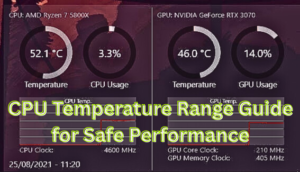
Your computer might look calm on the outside, but inside, your CPU could be running hotter than you think. If you’ve ever wondered, What is a normal temperature for a CPU and how do I keep it low?, you’re not alone. It’s one of the most common—and most important—questions PC owners ask.
Modern processors are incredibly powerful. They handle gaming, video editing, coding, and multitasking with ease. But all that power creates heat. Too much heat can quietly damage components, throttle performance, or even shut your system down at the worst possible moment.
Understanding safe CPU temperature ranges isn’t just for tech enthusiasts. Whether you’re a gamer, remote worker, student, or casual user, keeping your processor cool protects your investment and ensures your machine runs smoothly for years.
What Is a Normal Temperature for a CPU and How Do I Keep It Low?
Let’s address the big question directly: <strong>What is a normal temperature for a CPU and how do I keep it low?</strong>
A “normal” CPU temperature depends on what your system is doing. However, here are general guidelines for most modern Intel and AMD processors:
- Idle (no heavy tasks): 30°C–45°C (86°F–113°F)
- Light usage (browsing, documents): 40°C–55°C
- Gaming or heavy workload: 60°C–80°C
- High but still safe range: Up to 85°C
- Critical zone: 90°C and above
Most CPUs are designed to shut down automatically around 100°C to prevent permanent damage. However, running near those limits consistently shortens lifespan and reduces performance.
So when people ask, “What is a normal temperature for a CPU and how do I keep it low?”, the answer isn’t just about numbers—it’s about maintaining safe, stable performance over time.
Why CPU Temperature Matters More Than You Think
Heat is the silent enemy of electronics. Excessive CPU temperature can cause:
- Thermal throttling (automatic performance reduction)
- Random shutdowns
- System crashes
- Shortened hardware lifespan
- Reduced gaming FPS
- Permanent silicon degradation
In reality, even a 5–10°C reduction can noticeably improve stability and longevity. That’s why understanding what is a normal temperature for a CPU and how do I keep it low? isn’t optional—it’s essential.
Modern processors like Intel Core i7, Ryzen 7, and high-end gaming CPUs generate significant heat, especially under load. Without proper cooling, even a premium system can struggle.
Ideal CPU Temperature Ranges by Activity
Idle Temperatures
When your system isn’t doing much, your CPU temperature should sit between 30°C and 45°C. Slightly higher numbers (up to 50°C) are common in laptops due to limited airflow.
If your idle temperature consistently sits above 60°C, something isn’t right.
Gaming Temperatures
Gaming pushes processors hard. A safe gaming temperature typically ranges from 60°C to 80°C. Some CPUs briefly spike to 85°C without issue.
However, sustained temperatures above 85°C signal cooling inefficiency.
Heavy Workloads (Rendering, Editing, Streaming)
For tasks like 4K video editing or 3D rendering:
- 70°C–85°C is common
- Occasional spikes are normal
- Consistent 90°C is dangerous
Understanding these ranges makes it easier to answer: what is a normal temperature for a CPU and how do I keep it low? based on your usage.
What Causes High CPU Temperatures?
High processor heat usually stems from one or more of the following:
1. Dust Accumulation
Dust blocks airflow. Even a thin layer on heatsinks or fans can raise temperatures by 5–15°C.
2. Poor Airflow
Improper case ventilation traps hot air. Intake and exhaust balance is critical.
3. Old or Improper Thermal Paste
Thermal paste transfers heat from CPU to cooler. Over time, it dries out.
4. Overclocking
Increasing clock speeds boosts performance—but also heat output.
5. Stock Coolers
Basic manufacturer coolers may struggle under heavy loads.
How to Monitor Your CPU Temperature
You can’t fix what you don’t measure.
Popular monitoring tools include:
- Core Temp
- HWMonitor
- MSI Afterburner
- Ryzen Master
- BIOS/UEFI hardware monitor
When checking temps, observe:
- Idle temperature
- Peak temperature under load
- Average temperature during gaming
If you’ve ever asked, what is a normal temperature for a CPU and how do I keep it low?, monitoring is your starting point.
Proven Ways to Keep Your CPU Temperature Low
Now let’s focus on the practical side of <strong>What is a normal temperature for a CPU and how do I keep it low?</strong>
Improve Airflow
- Add intake fans at the front
- Add exhaust fans at the rear/top
- Keep cables tidy
- Use mesh-front cases
Airflow alone can reduce temps by 10°C.
Replace Thermal Paste
Fresh high-quality thermal paste improves heat transfer dramatically. Replace every 2–3 years.
Upgrade Your CPU Cooler
Options include:
- Tower air coolers
- All-in-one (AIO) liquid coolers
- Custom liquid loops
A quality aftermarket cooler can reduce temperatures by 15–25°C under load.
Clean Your PC Regularly
Use compressed air every 3–6 months.
Adjust Fan Curves
Custom fan curves increase cooling earlier, preventing heat spikes.
Undervolt Your CPU
Undervolting reduces power consumption and heat without performance loss (when done properly).
Air Cooling vs Liquid Cooling: Which Is Better?
Air Cooling
Pros:
- Affordable
- Reliable
- Minimal maintenance
Cons:
- Bulky
- Slightly less efficient at extreme loads
Liquid Cooling
Pros:
- Better heat dissipation
- Cleaner aesthetic
- Quieter at high loads
Cons:
- More expensive
- Potential pump failure
For most users asking what is a normal temperature for a CPU and how do I keep it low?, a high-quality air cooler is more than sufficient.
Signs Your CPU Is Overheating
Watch for:
- Loud constantly spinning fans
- Frame rate drops in games
- Random shutdowns
- Blue screen errors
- Burning smell (rare but serious)
If you experience these, check your CPU temperature immediately.
Personal Background: A Technician’s Journey in CPU Cooling
I started building PCs in my teens, mostly fixing overheated desktops for friends. Back then, most problems came down to dust or dried thermal paste. One gaming PC I repaired was hitting 95°C during basic tasks. After cleaning, reapplying paste, and improving airflow, temperatures dropped to 65°C under load.
Over the years, working with gaming systems, office setups, and content creator rigs, I’ve seen firsthand how ignoring CPU heat leads to costly repairs. Some clients replaced entire motherboards when simple cooling upgrades would have solved everything.
Financially, investing $50–$150 in proper cooling can prevent hundreds—or thousands—of dollars in hardware damage. In terms of ROI, proper cooling is one of the smartest upgrades any PC owner can make.
Frequently Asked Questions
What is a normal temperature for a CPU and how do I keep it low?
A normal CPU temperature ranges from 30°C–45°C at idle and 60°C–80°C under load. Keep it low by improving airflow, upgrading cooling, and cleaning dust regularly.
Is 90°C too hot for a CPU?
Yes. While CPUs can briefly reach 90°C, sustained temperatures above 85°C are unsafe and may cause throttling.
What temperature is dangerous for a processor?
Temperatures above 95°C are dangerous. Most CPUs shut down near 100°C to prevent damage.
Do gaming PCs run hotter?
Yes. Gaming stresses the processor, increasing heat output compared to casual use.
How often should I replace thermal paste?
Every 2–3 years, or sooner if temperatures rise unexpectedly.
Does undervolting help reduce CPU temperature?
Yes. Undervolting reduces power draw and heat without sacrificing performance when done correctly.
Is liquid cooling necessary?
Not for most users. High-quality air cooling works well unless you heavily overclock.
Why is my CPU hot even at idle?
Common causes include background processes, poor airflow, dust buildup, or failing cooling hardware.
Conclusion
At the end of the day, understanding what is a normal temperature for a CPU and how do I keep it low? empowers you to protect your computer’s performance and lifespan. Safe temperatures aren’t complicated—they’re about awareness, maintenance, and smart upgrades.
Monitor your system, clean it regularly, and invest in proper cooling. Your CPU works hard every day. Keeping it cool is the least you can do in return.